
On demand
Manual configuration upload
Upload an exported FortiGate configuration and start an audit directly from your account. This is ideal for one-off reviews, testing ConfigSentry, or assessing a configuration before deployment.

How It Works
ConfigSentry turns FortiGate configuration data into a structured security assessment, detailed technical findings, and clear reports for engineers and stakeholders.
Complete audit workflow
Configuration data can be uploaded manually or collected automatically. ConfigSentry then evaluates it using the selected audit template and produces reports for both technical and non-technical audiences.
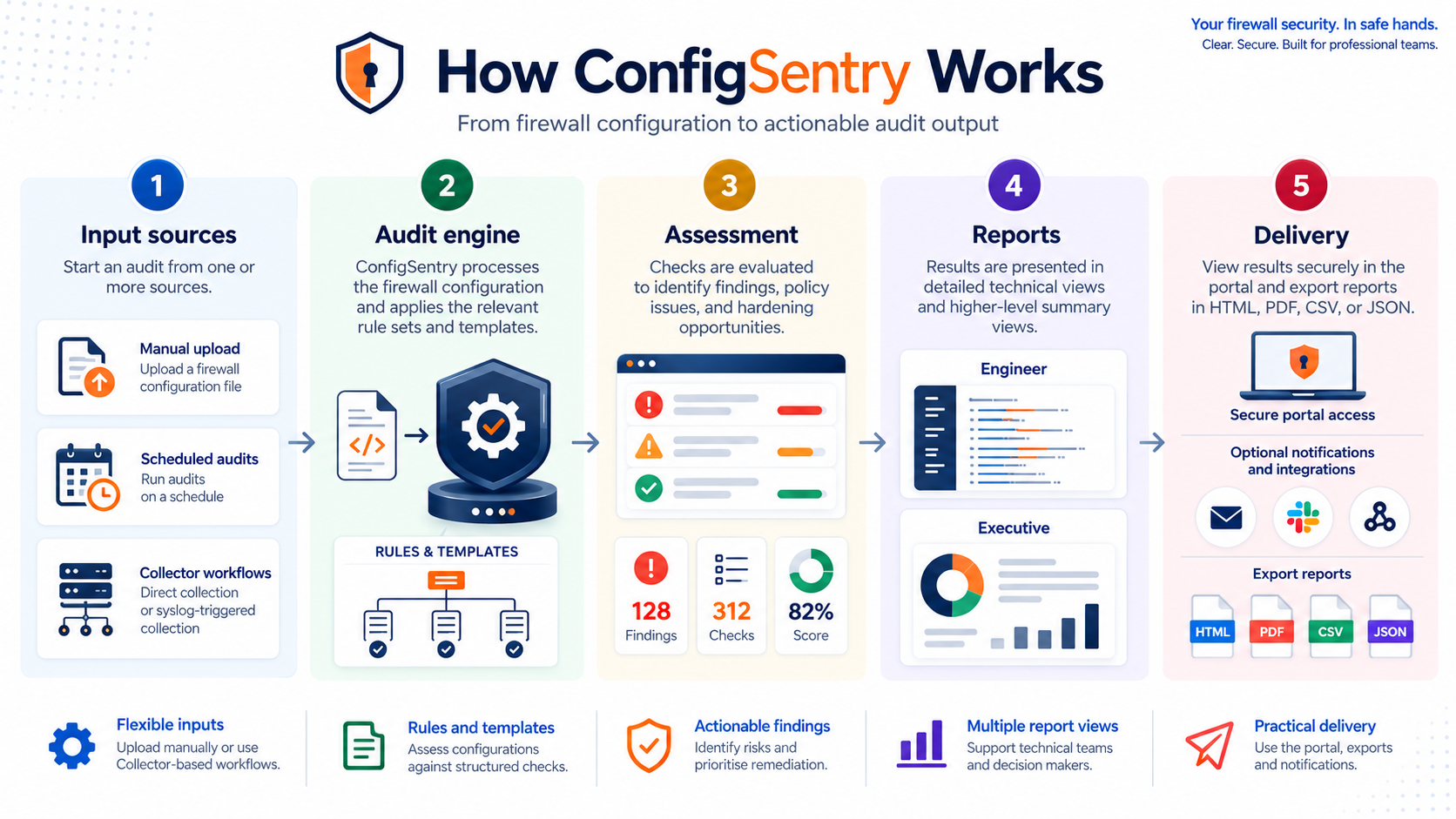
1. Configuration input
On demand
Upload an exported FortiGate configuration and start an audit directly from your account. This is ideal for one-off reviews, testing ConfigSentry, or assessing a configuration before deployment.

Recurring
Use a read-only ConfigSentry collector to retrieve configurations automatically and run audits at the frequency permitted by your licence.

Change driven
Enterprise deployments can trigger an audit after a configuration change is detected, helping teams review security impact without waiting for the next scheduled audit.
2. Audit engine
ConfigSentry does not treat a firewall configuration as a collection of isolated text lines. It parses the configuration and builds a structured model of the FortiGate environment.
3. Rule evaluation
Each audit template contains a defined set of deterministic ConfigSentry rules. Those rules evaluate the structured configuration model and its related objects, rather than relying only on simple text matching.
4. Assessment
Linked addresses, groups, services, interfaces and policy scopes are evaluated together so the finding reflects the effective configuration.
Each applicable rule records its status, severity, evidence, affected configuration area and remediation guidance.
Where supported by the rule, findings can reference standards or guidance such as CIS, DISA STIG, ISO 27001, NIST, PCI DSS and Fortinet best practices.
5. Reports
The engineer and executive reports are generated from the same audit data, keeping technical remediation and management reporting aligned.
A detailed view of every applicable check, including the evidence used to reach the result.
A concise summary designed to communicate overall posture, significant risks and audit readiness without requiring detailed firewall knowledge.
6. Delivery and follow-up
Audit results remain available within ConfigSentry and can be downloaded for investigation, evidence gathering, remediation work or stakeholder reporting.
Users can be alerted when scheduled or change-triggered audits complete, allowing significant findings to be reviewed promptly.
Saved audit results provide a record of the configuration, rules and findings used for that assessment.
Clear boundaries
ConfigSentry identifies configuration conditions that match its audit rules and provides evidence to support further review. Findings should still be considered alongside network design, business requirements, compensating controls and organisational risk decisions.
Standards mappings help with control discussions and evidence gathering, but an automated configuration audit cannot by itself certify that an organisation is compliant.
See it in action
Upload a configuration to experience the complete workflow, or review the sample reports before starting your first audit.